Ignite the Magic!

Hi, I’m Julibe, and I Craft Digital Experiences!

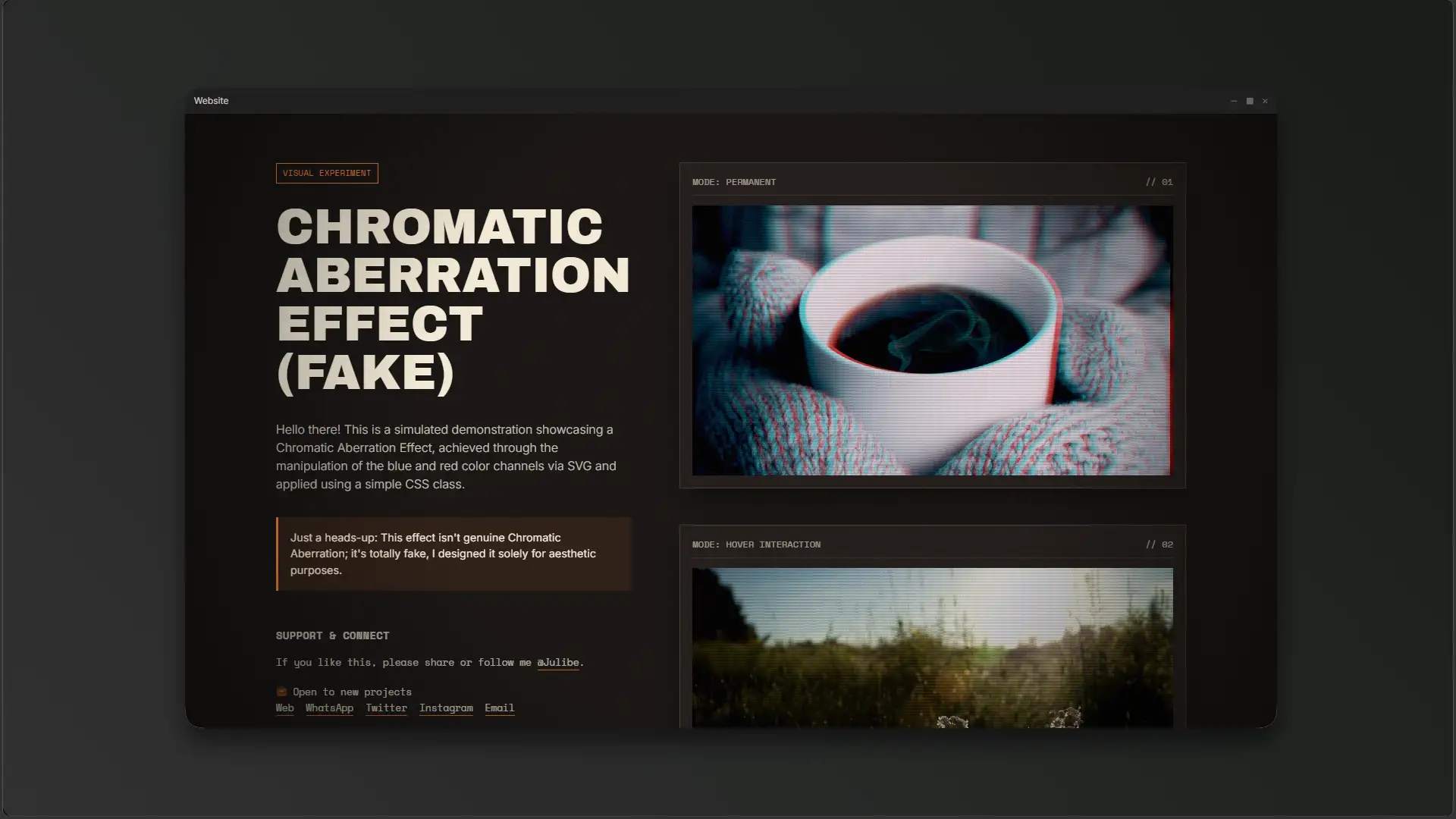
Inject a dose of retro-futurism into your web projects. This pure CSS & SVG solution simulates CRT chromatic aberration without heavy JavaScript libraries. 📺✨
Julibe
julibe #julibe #ChromaticAberration #SVGFilter #CSSGlitch #RetroAesthetic #WebDesign #FrontendDev #UIUX #CRTScanlines #VisualEffect #CreativeCoding #foryou
👻 📺 ✨ 📼 🌈 💻 🎨 🚀 💡 🔮 📸 🎞️👻
Step back in time and add some serious retro-futuristic vibes to your web projects! This lightweight, JS-free chromatic aberration filter will give your images and videos that nostalgic CRT glitch we all love. Check it out and steal the code!

Fake the Glitch, Feel the Nostalgia.

In a nutshell...

The "Too Long; Or too scary??? Anyway don't Wanna Read" version... 🔮

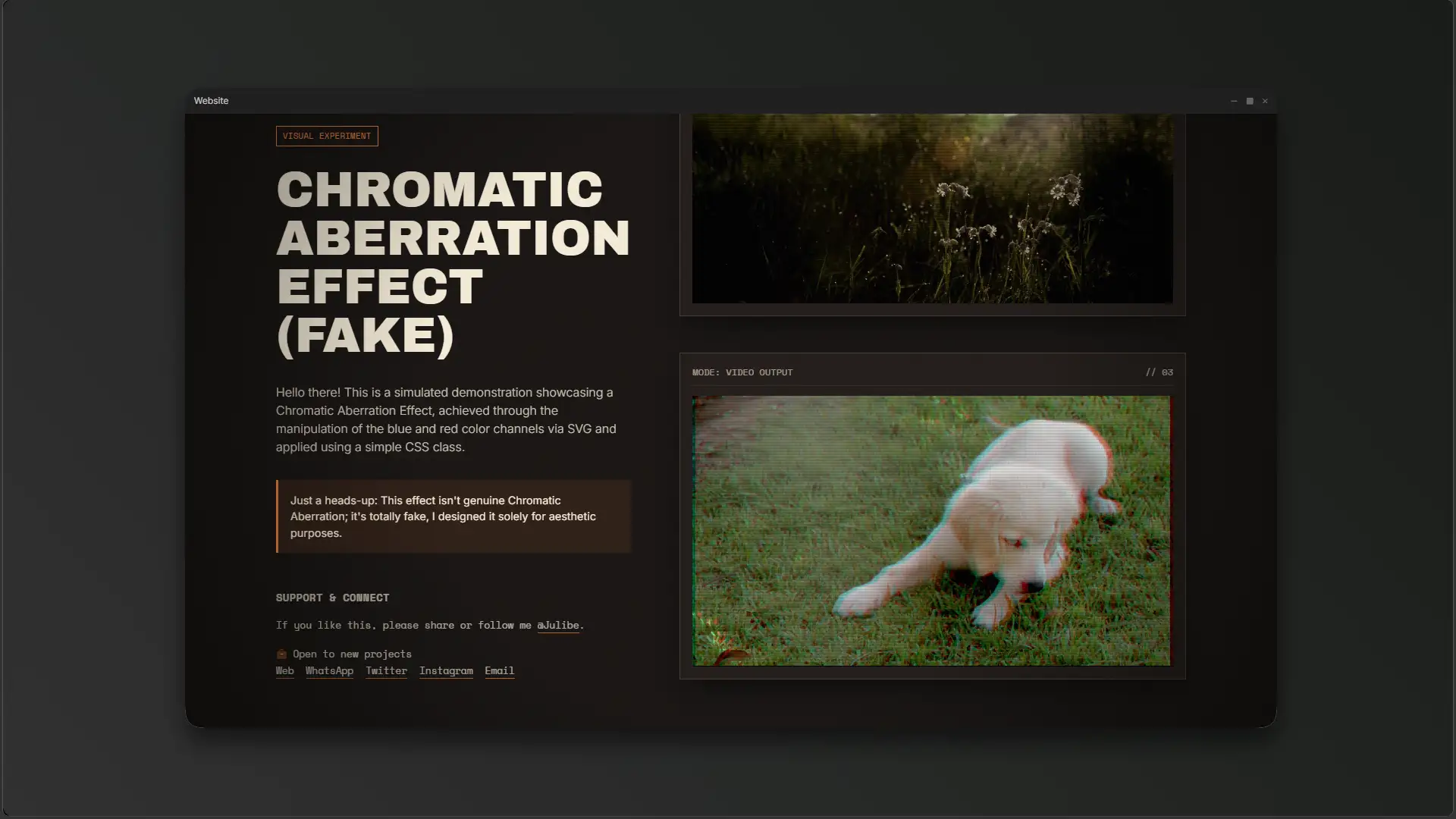
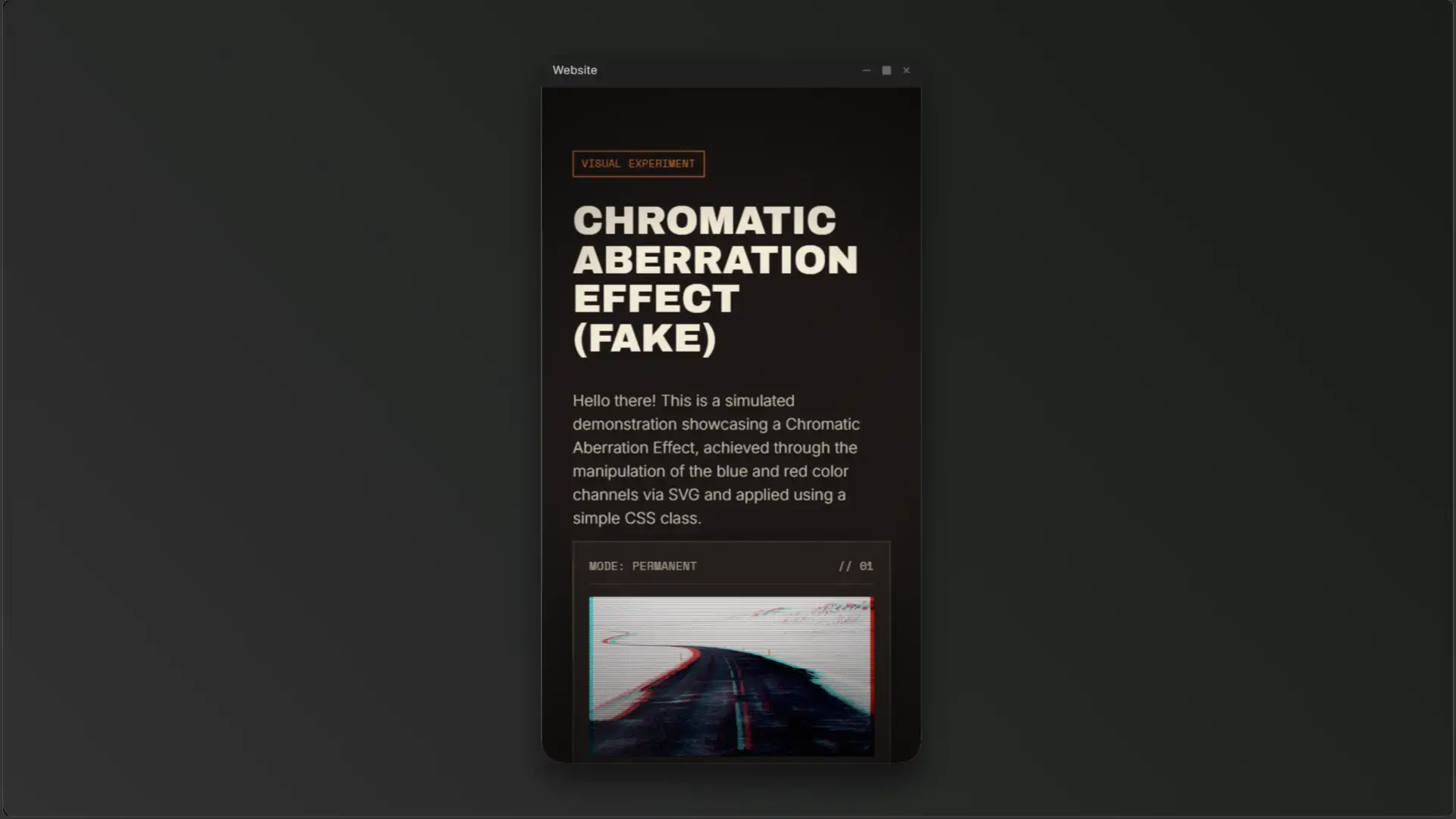
This is a lightweight, pure CSS and SVG solution that simulates a chromatic aberration effect. You can apply it to pretty much any HTML element, from static images to looping videos, without any JavaScript.

The effect is created using an inline <svg> filter block combined with standard CSS blending modes, all wrapped inside a dark, retro-futuristic style with film grain, radial vignettes, and scanline overlays.

This is a simple way to simulate a chromatic aberration effect in HTML, and you can apply it to pretty much any element. The effect is created using only SVG filters and CSS blending modes, all wrapped inside a dark, retro-futuristic style with film grain, vignettes, and scanline overlays.

I wanted to bring in a Retro-Futuristic Aesthetic vibe that feels like those old cathode-ray TV displays, blending color shifts and textures to capture that nostalgic screen look.

About

Thinking about building something similar?

These estimates will give you a clear picture of the technical scope, development timeline, and investment required to turn the idea into an awesome reality. 

Big results start with clear information and smart decisions.

Value: ~ $270 to $810 USD
Details
Minimum
Value: $270
Maximum
Value: $810

Duration: ~ 1 to 4 Days
Details
Minimum
Hours: 10
Days: 1
Maximum
Hours: 30
Days: 4
Value: ~ $50 to $160 USD
Details
Minimum
Value: $50
Maximum
Value: $160

Duration: ~ 0 to 1 Day
Details
Minimum
Hours: 2
Maximum
Hours: 6
Value: ~ $50 to $160 USD
Details
Minimum
Value: $50
Maximum
Value: $160

Duration: ~ 0 to 1 Day
Details
Minimum
Hours: 2
Maximum
Hours: 6
Value: ~ $80 to $240 USD
Details
Minimum
Value: $80
Maximum
Value: $240

Duration: ~ 0 to 1 Day
Details
Minimum
Hours: 3
Maximum
Hours: 9
Days: 1
Value: ~ $40 to $120 USD
Details
Minimum
Value: $40
Maximum
Value: $120

Duration: ~ 0 to 1 Day
Details
Minimum
Hours: 2
Maximum
Hours: 5
Value: ~ $40 to $120 USD
Details
Minimum
Value: $40
Maximum
Value: $120

Duration: ~ 0 to 1 Day
Details
Minimum
Hours: 2
Maximum
Hours: 5

Don’t let the numbers scare you, let’s talk!

The Juicy Details!

All treats, no tricks, just the sweet facts! 🍭

Do you remember sitting too close to the TV as a kid, seeing those red and blue halos bleeding off the edges of the characters? That raw, imperfect, analog signal has become a staple of the Retro-Futuristic aesthetic. I wanted to capture that vibe—not with heavy video files or massive JavaScript libraries—but with the native power of the browser.

This project is a love letter to the CRT (Cathode-Ray Tube) era. It’s about taking pristine digital images and dirtying them up with noise, scanlines, and that beautiful RGB misalignment known as Chromatic Aberration. It feels alive, electric, and slightly broken in the best way possible.

Ready to glitch your site? Here is how to use it:

  1. Drop the SVG: Place the hidden <svg class="svg-def"> block anywhere in your HTML document.
  2. Add the Class: Apply the .aberration CSS class directly to your <img> or <video> tag.
  3. Hover State: Want it interactive? Use the .aberration-hv class on a parent container to trigger the glitch only when the user hovers!
  4. Enjoy the Noise: The global CSS pseudo-elements (::before and ::after on the body) will handle the scanlines and the subtle radial vignette.

The visual design leans heavily into cyberpunk and 80s arcade aesthetics. The dark background (#1a1614) paired with the vibrant orange accent (#f27d3b) sets a moody, high-contrast stage reminiscent of classic terminal interfaces.

Mechanically, the inspiration came from old VHS tracking errors and the natural phosphor bleed of vintage gaming monitors. I wanted the user to feel like they were interacting with a physical screen, which is why the CSS includes a subtle SVG noise filter applied globally over the entire document, simulating the visual noise of an analog broadcast.

“Imperfection is beauty, madness is genius and it’s better to be absolutely ridiculous than absolutely boring.” — Marilyn Monroe

“To design is to communicate clearly by whatever means you can control or master.” — Milton Glaser

“I have always been interested in the idea of the glitch… the moment when the machine reveals its own nature.” — Rosa Menkman

Project Overview (The Analog Dream)

We live in an era of 4K displays and retina screens, yet there is an undeniable hunger for the “lo-fi” aesthetic. This project creates a simulated Chromatic Aberration effect using SVG filters and CSS blending modes. It takes a standard image or video and splits its color channels—shifting the Red slightly one way and the Blue the other—to create a ghostly, vibrating 3D effect.

But it’s not just about the color shift. To sell the illusion, I wrapped the entire layout in a dark, moody interface that mimics a tactical cyber-deck or a retro operating system. With grainy noise overlays and a vignette that mimics the curvature of old screens, this isn’t just a filter; it’s a mood.

The concept of Chromatic Aberration comes from optics. It occurs when a lens fails to focus all colors to the same point. In photography, it’s often considered a flaw. However, in the digital art world, specifically within Glitch Art and Cyberpunk subcultures, it represents a breach in reality—a signal that the digital facade is cracking.

Culturally, this aesthetic draws heavily from 1980s sci-fi cinema (think Blade Runner) and the rise of Vaporwave. By artificially reintroducing these “errors” into modern web design, we create a sense of nostalgia and technological texture that flat design simply cannot achieve. It bridges the gap between the tactile analog past and the sterile digital present.

The Game-Plan!

Plotting a safe course through the scary maze! 🧭

  • Isolating the exact RGB color channels without losing the original image’s luminosity and contrast.
  • Ensuring the SVG filter applied cleanly across both static images and playing HTML5 video elements.
  • Creating a universal noise and scanline overlay that did not interfere with user clicks or text selection.
  • Utilized precise <feColorMatrix> values (e.g., 1 0 0 0 0 for red) to cleanly strip the channels before offsetting and blending them back via <feBlend mode="screen">.
  • Relied entirely on native CSS filter: url(#aberration) which hardware-accelerates beautifully even over looping <video> tags.
  • Applied pointer-events: none and fixed positioning to the body’s ::before and ::after pseudo-elements, making the scanlines purely decorative and frictionless.

This experiment provides an instant, copy-paste aesthetic upgrade for any developer wanting to add a retro flair to their project. It significantly improves page performance by eliminating the need for WebGL canvas setups just to achieve a basic RGB split effect.

This code focuses strictly on visual rendering and CSS manipulation. It relies 100% on the browser’s native capabilities to parse SVG and apply blending modes. It intentionally avoids any JavaScript, ensuring maximum compatibility and minimum overhead.

The Nerd Stuff!

I think we are going to need a bigger boat... ahem, I meant cauldron! ✨

CSS Filters, SVG Filters

The core engine of this effect is the hidden SVG block. The <feColorMatrix> extracts the raw Red and Blue data from the source graphic. The <feOffset> pushes the Red channel 4 pixels to the right (dx="4") and the Blue channel 4 pixels to the left (dx="-4"). The <feBlend> tags then screen them back over the original image. 

On the CSS side, the layout is handled by a robust CSS Grid setup that scales fluidly. The scanlines are generated using a repeating linear-gradient trick over a semi-transparent layer.

  • Adding CSS @keyframes to animate the feOffset values, creating a pulsing, unstable glitch effect.
  • Exploring Green channel manipulation to create deeper, more complex color separations.
  • Optimizing the SVG noise filter for extremely high-resolution 4K displays.
  • Some older mobile browsers may struggle to maintain 60fps when applying the SVG filter over a high-definition <video> element.
  • The mix-blend-mode: screen inside the SVG might cause blown-out highlights on pure white source images.

* Pricing, timelines, content, and designs are subject to change without prior notice.
Certain projects or aspects displayed are presented for demonstration purposes only and may include partial or placeholder content, conceptual work and/or early-stage ideas, and may not reflect the final delivered product.

* All values provided are preliminary estimates based on the scope that similar projects may present.
These are intended for general reference only and should not be considered final or binding figures.

More spooktastic codes ready to ignite your curiosity!

Guau! Premium dog food, grooming, and health products for your best friend. 🦴
Oh dear, where did I put my glasses? Luckily, VisionBreak highlights invisible line breaks so we can finally see how our texts flow without squinting! 👓🔎
Ready to watch time fly? Discover this vibrant, interactive 3D clock that brings a modern, colorful aesthetic right to your screen! Play, click, and enjoy!
Keep Up to Date? Sure, it's cool! No thanks, I'm afraid