Ignite the Magic!

Hi, I’m Julibe, and I Craft Digital Experiences!

The internet is far too spicy for your delicate eyes! Censify is a gentle text filter app that wraps offensive words in beautiful, harmless little dots.
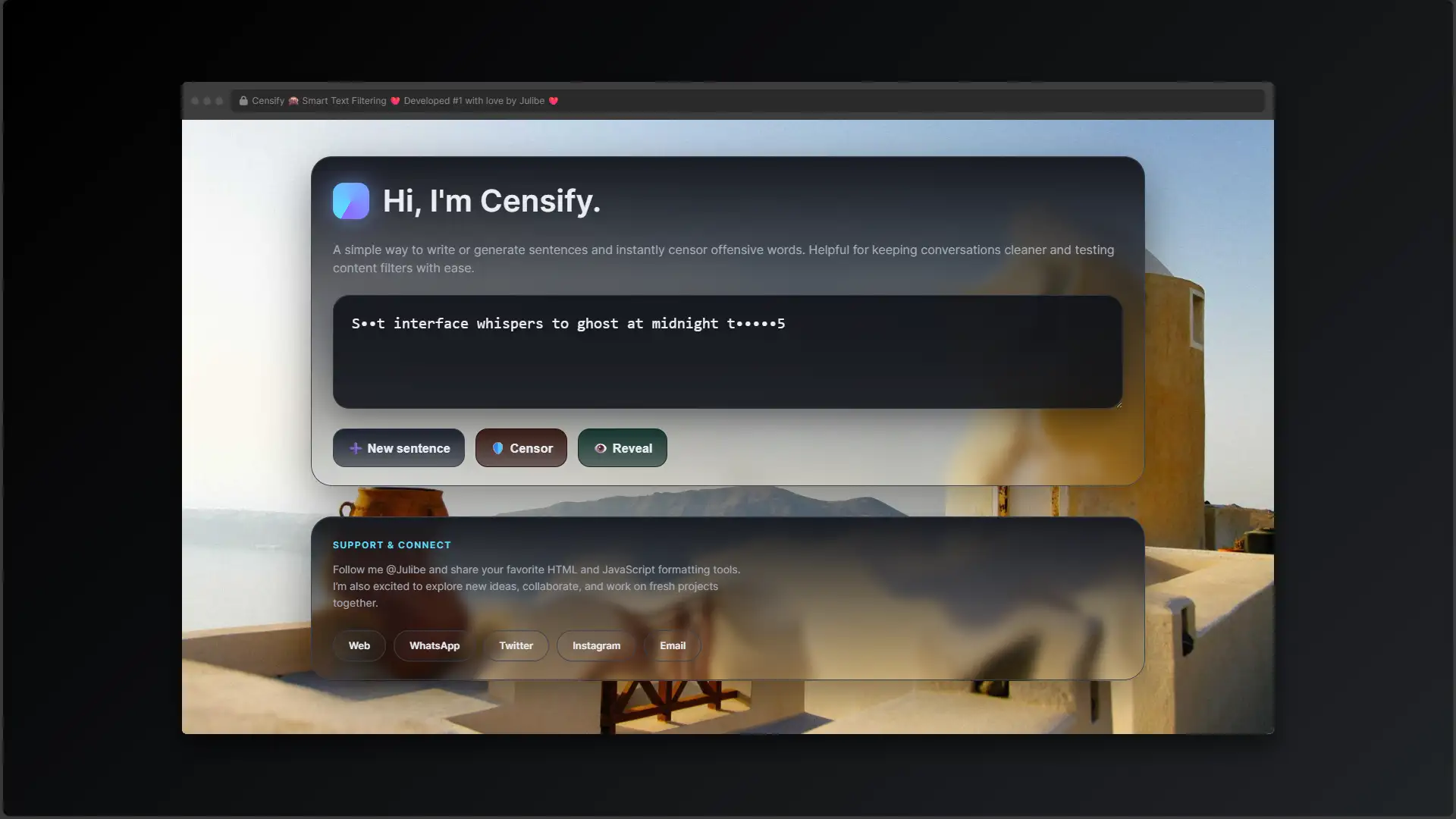
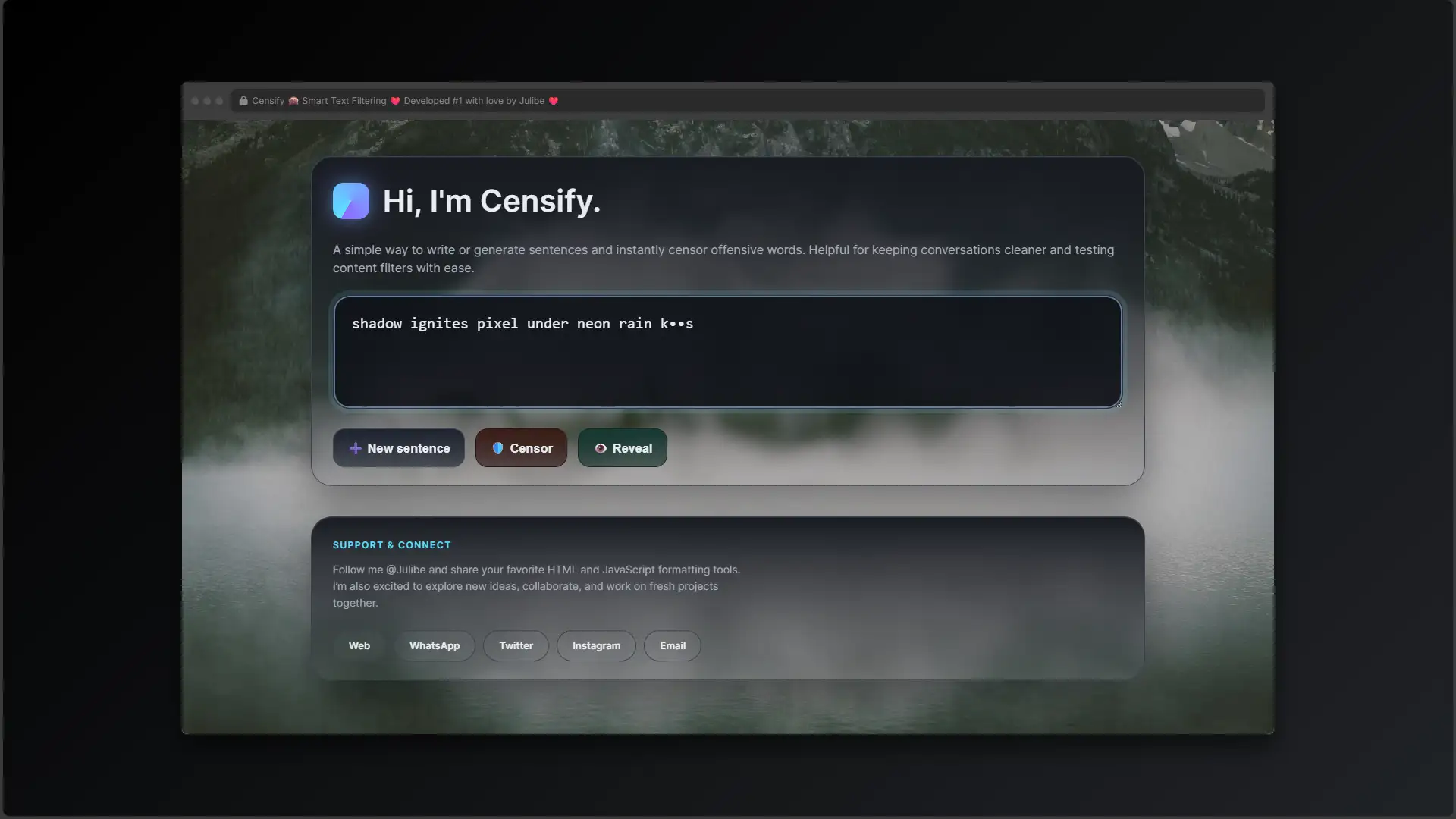
Censify is a gentle text filtering application that utilizes JavaScript regular expressions to detect and sanitize offensive vocabulary. Wrapped in a modern, GSAP-animated SVG glassmorphism interface, it provides a seamless, stress-free way to test content filters while keeping conversations superficially clean.
julibe #julibe #CleanWeb #TextFilter #SafeSpace #ProfanityFilter #WebTool #GlassmorphismUI #DigitalBubbleWrap #RegExp #SanitizeText #WholesomeInternet #ContentModeration #UtilityApp #foryou
👻🧽 🧼 🫧 🙈 🙉 🙊 🛡️ 🩹 🎀 ☕ 🧶 🧹👻
Why face the harsh, pointy edges of internet vocabulary when the Censify text filter app can just magically erase the problem? Try this pristine utility today and keep your online experience wrapped in a cozy digital sweater!

We simply do not use those spicy words here!

In a nutshell...

The "Too Long; Or too scary??? Anyway don't Wanna Read" version... 🔮

Oh, look! A gentle digital eraser for reality! Censify is a web-based text filter app that takes sentences containing unspeakable, horrifying vocabulary and scrubs them clean with the magic of Regular Expressions.

It leaves the first and last letters so you can guess the naughty word and gasp in private, while the rest of the text is replaced with pretty, polite little dots. It’s wrapped in a gorgeous, swirling glassmorphism application interface that distracts you from the fact that the internet is a terrifying, unfiltered place!

🧽 Let Me Just Clean That Up For You!

Oh, my stars! Did you just see what that person typed on the internet? Goodness gracious, we absolutely cannot have that kind of language floating around your pristine computer screen! The world is a rough, pointy place, but don’t you worry your pretty little head about it. Censify is here to wrap your digital experience in cozy layers of protective bubble wrap!

🧼 A Gentle Digital Bar of Soap

Why bother trying to process complex human emotions or understand why people say nasty things when we can just magically erase them? This highly effective utility app takes all those horrifying, unspeakable words and effortlessly turns them into polite, civilized dots. It’s like a warm glass of milk and a fuzzy blanket for your web browser.

🙈 See No Evil, Just Pretty Shapes

Wrapped in a gorgeous, animated glassmorphism interface, this app ensures that you remain in a state of blissful, forced innocence. Just paste the scary text, click “Censor,” and voilà! The bad words disappear, and we can all go back to pretending the internet is made entirely of rainbows, kittens, and polite discourse!
About

Thinking about building something similar?

These estimates will give you a clear picture of the technical scope, development timeline, and investment required to turn the idea into an awesome reality. 

Big results start with clear information and smart decisions.

Value: ~ $0 to $920 USD
Details
Minimum
Value: $0
Maximum
Value: $920

Duration: ~ 0 to 4 Days
Details
Minimum
Hours: 0
Maximum
Hours: 30
Days: 4
Value: ~ $0 to $110 USD
Details
Minimum
Value: $0
Maximum
Value: $110

Duration: ~ 0 to 1 Day
Details
Minimum
Hours: 0
Maximum
Hours: 4
Value: ~ $0 to $160 USD
Details
Minimum
Value: $0
Maximum
Value: $160

Duration: ~ 0 to 1 Day
Details
Minimum
Hours: 0
Maximum
Hours: 6
Value: ~ $0 to $320 USD
Details
Minimum
Value: $0
Maximum
Value: $320

Duration: ~ 0 to 1 Day
Details
Minimum
Hours: 0
Maximum
Hours: 10
Days: 1
Value: ~ $0 to $160 USD
Details
Minimum
Value: $0
Maximum
Value: $160

Duration: ~ 0 to 1 Day
Details
Minimum
Hours: 0
Maximum
Hours: 6
Value: ~ $0 to $160 USD
Details
Minimum
Value: $0
Maximum
Value: $160

Duration: ~ 0 to 1 Day
Details
Minimum
Hours: 0
Maximum
Hours: 6

Don’t let the numbers scare you, let’s talk!

The Juicy Details!

All treats, no tricks, just the sweet facts! 🍭

Are you utterly exhausted by the spicy vocabulary of the world wide web? Do you find yourself hyperventilating when an anonymous user on a forum uses a word that isn’t in the polite society handbook? Come inside, take off your shoes, and let me pour you a cup of tea. Welcome to your new sanctuary!

I realized that instead of processing complex human frustration or navigating a world full of unregulated expression, it is much easier to just use a robust JavaScript application that hides everything I don’t like. Welcome to Censify, the ultimate text filter app. It is the digital equivalent of covering your eyes, plugging your ears, and humming a pleasant tune!

  1. Avert Your Eyes: Open the application, but squint slightly just in case the screen is too bright.
  2. Generate or Paste: Click the app’s “➕ New sentence” button to let the machine generate a terrible phrase, or carefully paste in some horrific text you found online.
  3. Deploy the Shield! Smash that “🛡️ Censor” button in the interface as fast as humanly possible! Phew, crisis averted. Have a sip of tea.
  4. The Forbidden Feature: There is an “👁️ Reveal” button built into the app. DO NOT CLICK IT unless you have your smelling salts ready.

This project is deeply inspired by the noble tradition of sweeping things under the rug! Why deal with an inconvenience when you can intercept it using software?

The application draws heavily from the concept of Victorian morality, a glorious era when people simply repressed everything unpleasant and fainted on fainting couches! We also have to thank Thomas Bowdler, who famously sanitized Shakespeare so that no one would be scandalized by 400-year-old jokes. And of course, the classic Bleep censor used on television—the soundtrack of a perfectly sheltered existence, now perfectly digitized into an app! I also just really love Bubble wrap, and this is basically bubble wrap for words.


“Censorship is telling a man he can’t have a steak just because a baby can’t chew it.”
Mark Twain (Clearly, Mr. Twain was a terrible influence and didn’t have access to a good text filter app.) – Source

“Ignorance is bliss.”
Thomas Gray (Finally, someone who completely understands the core philosophy of this application!) – Source

“If you don’t have anything nice to say, don’t say anything at all.”
Every polite person everSource

Censify is an application that functions as a digital bar of soap for the internet’s dirty mouth. We all know that if we never see a bad word, we can pretend the world is completely perfect, right? That’s just sound logic!

This app provides a simple, clean text interface. You paste in whatever dreadful, unfiltered garbage the web has produced today, and you hit the app’s “Censor” button. Instantly, the offensive text is masked. It is a masterpiece of utility and utter avoidance. The UI is designed to look like beautiful frosted glass—because looking at things clearly is terribly overrated anyway.

I absolutely adore this application because I accidentally read a YouTube comment section once, and I needed to lie down with a cold compress for an entire afternoon. I decided no one should ever have to suffer like that.

The internet was supposed to be a place for sharing muffin recipes and pictures of golden retrievers, not for expressing anger or using slang. So, a tool like Censify is a literal lifesaver. If the rest of the world won’t wash its mouth out with soap, this utility app’s JavaScript engine will graciously do it for them!

The desire to hide offensive language is a tale as old as time! Society has always preferred removing things from view rather than having a rational discussion about them. It’s a fantastic, stress-free tactic, perfectly encapsulated in software form!

Technically speaking, to achieve this level of societal denial in an app, the filter relies on Regular Expressions (Regex). Regex is a sequence of characters that specifies a search pattern. In our case, the app is hunting down the naughty words and replacing their innards with lovely, harmless bullet points.

Visually, to make the application’s denial look pretty, it uses SVG filters like feTurbulence to create a liquid texture, resulting in a stunning Glassmorphism effect. Because if you’re going to block out reality, you might as well do it behind a chic, frosted digital window!

The Game-Plan!

Plotting a safe course through the scary maze! 🧭

  • Reading the Bad Words List: I actually had to compile an array of terrible words in the app’s JavaScript file. I wore silk gloves and drank chamomile tea to recover from the sheer trauma of typing them.
  • The Over-Censoring Trap: Making sure the app’s filter only targets exact words and doesn’t accidentally trigger the Scunthorpe problem by censoring innocent words (like “assassin” or “class”).
  • Animating the Denial: Getting the SVG displacement map in the background of the app to animate smoothly without melting your computer’s graphics card.
  • Regex Word Boundaries: The app uses the b flag in its Regular Expression pattern. This ensures the filter only matches whole words, avoiding embarrassing over-censorship!
  • Preserving Context: The app’s replace function is cleverly scripted to keep the first and last letters. This way, we can enjoy a little guessing game while remaining completely shielded from the actual text.
  • GSAP Power: The complex SVG animation timeline for the interface is offloaded to the incredibly robust GreenSock (GSAP) engine, ensuring the app’s frosted glass looks buttery smooth.

The tangible outcome of this application is a massive blood pressure reduction for sensitive internet travelers everywhere. By instantly wiping away foul language, this text filter app allows communities to test their chat filters and content moderation systems without subjecting their QA testers to emotional distress. It is a triumph of software utility!

This utility app successfully intercepts and masks text based on a predefined local array of foul language. It handles capitalization and punctuation gracefully within the text box. However, it intentionally avoids server-side database integration—we do not want to store these words anywhere near our pristine servers!

A hearty, polite round of applause for the wholesome resources used to build this application:

  • GreenSock (GSAP): For animating the app’s SVG filters and keeping our illusions flowing smoothly.
  • Lorem Picsum: For providing the completely harmless, PG-rated background imagery for the interface.
  • MDN Web Docs: For documenting the Regex that powers this text filter and saves my sanity.

The Nerd Stuff!

I think we are going to need a bigger boat... ahem, I meant cauldron! ✨

JavaScript, CSS, HTML5, GSAP

For those who are emotionally stable enough to handle the truth, here is how the application code actually runs. The JavaScript file contains a massive array called badwords. When the user clicks the app’s “Censor” button, the script takes the string from the text area and maps over the array. It dynamically constructs a massive Regular Expression with word boundaries (b).

When a match is found in the text, the filter app uses a replacement callback function. It isolates the first character, the last character, and calculates the length of the string in between, replacing the middle characters with the symbol. Simultaneously, an SVG <filter> block in the HTML uses <feTurbulence> and <feDisplacementMap> to create a liquid glass texture for the UI, which is continuously animated via GSAP manipulating the scale attribute of the displacement map.

  • Custom Blacklists: Updating the app to allow users to add their own words to the text filter. Because honestly, I also find the word “moist” deeply offensive.
  • Audio Censoring: Integrating Web Audio API into the app to literally play a loud BEEP if the user types too aggressively on their keyboard.
  • Automatic Screen Shutdown: If a sentence evaluated by the app contains more than three bad words, the application just turns off your monitor to protect you from further harm.
  • The text filter’s Regex might occasionally struggle with complex, hyphenated compound-cursing depending on browser punctuation boundaries.
  • Clutching your pearls too hard while using a mouse may cause accidental clicks on the app’s “Reveal” button.

* Pricing, timelines, content, and designs are subject to change without prior notice.
Certain projects or aspects displayed are presented for demonstration purposes only and may include partial or placeholder content, conceptual work and/or early-stage ideas, and may not reflect the final delivered product.

* All values provided are preliminary estimates based on the scope that similar projects may present.
These are intended for general reference only and should not be considered final or binding figures.

More spooktastic codes ready to ignite your curiosity!

The AI Renaissance didn't begin with a bang, but with a whisper in the static. Humanity was was optimized out! Are you ready for Phantom Protocol?
Transform flat screenshots into stunning, marketing-ready 3D mockups instantly with PixelStage. The ultimate tool for developers who would rather be coding than cropping.
In a world where viewing history is lost to the void, one dashboard emerges to track them all. Prepare to enter your ultimate cinematic universe!
Keep Up to Date? Sure, it's cool! No thanks, I'm afraid