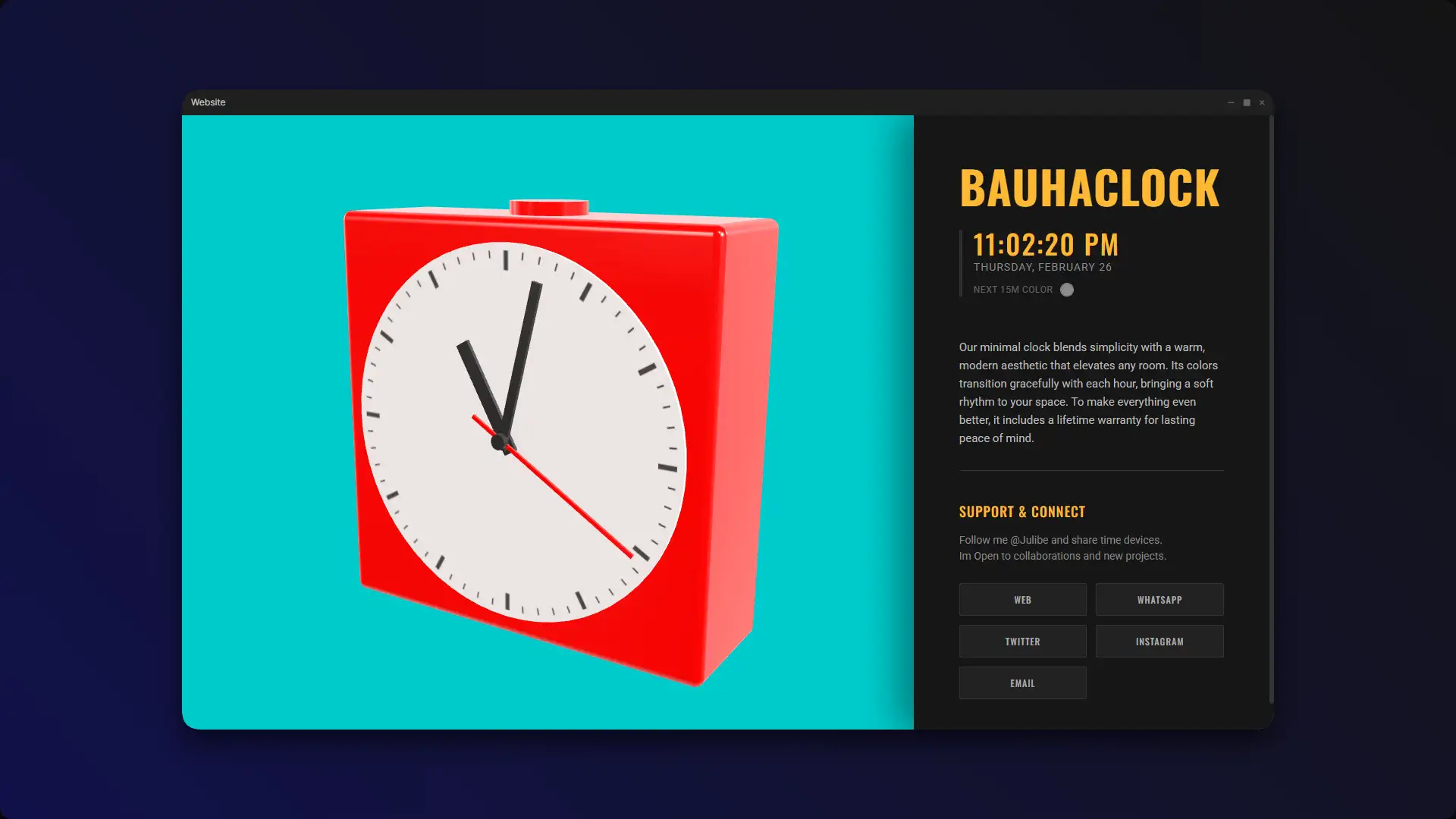
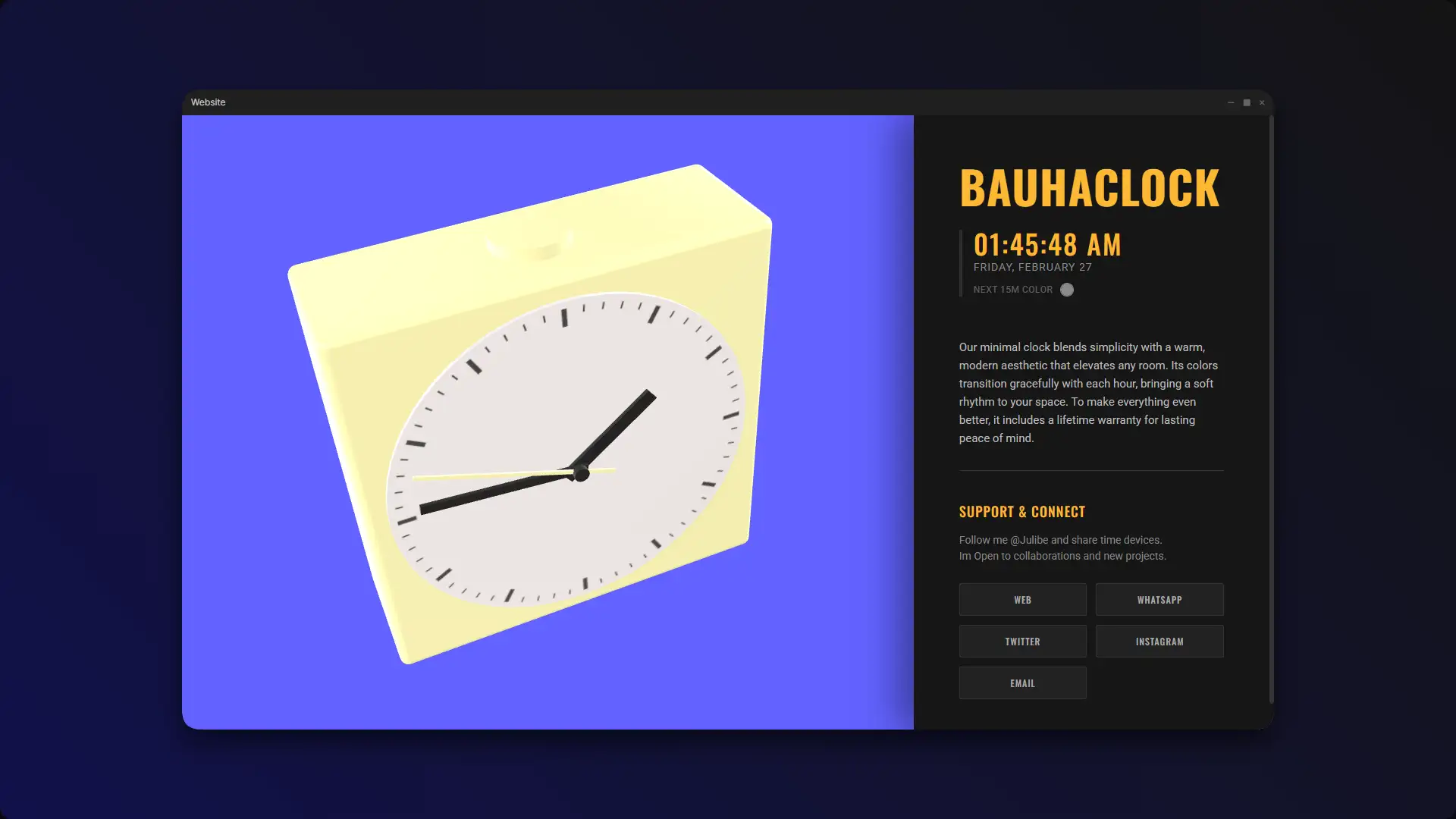
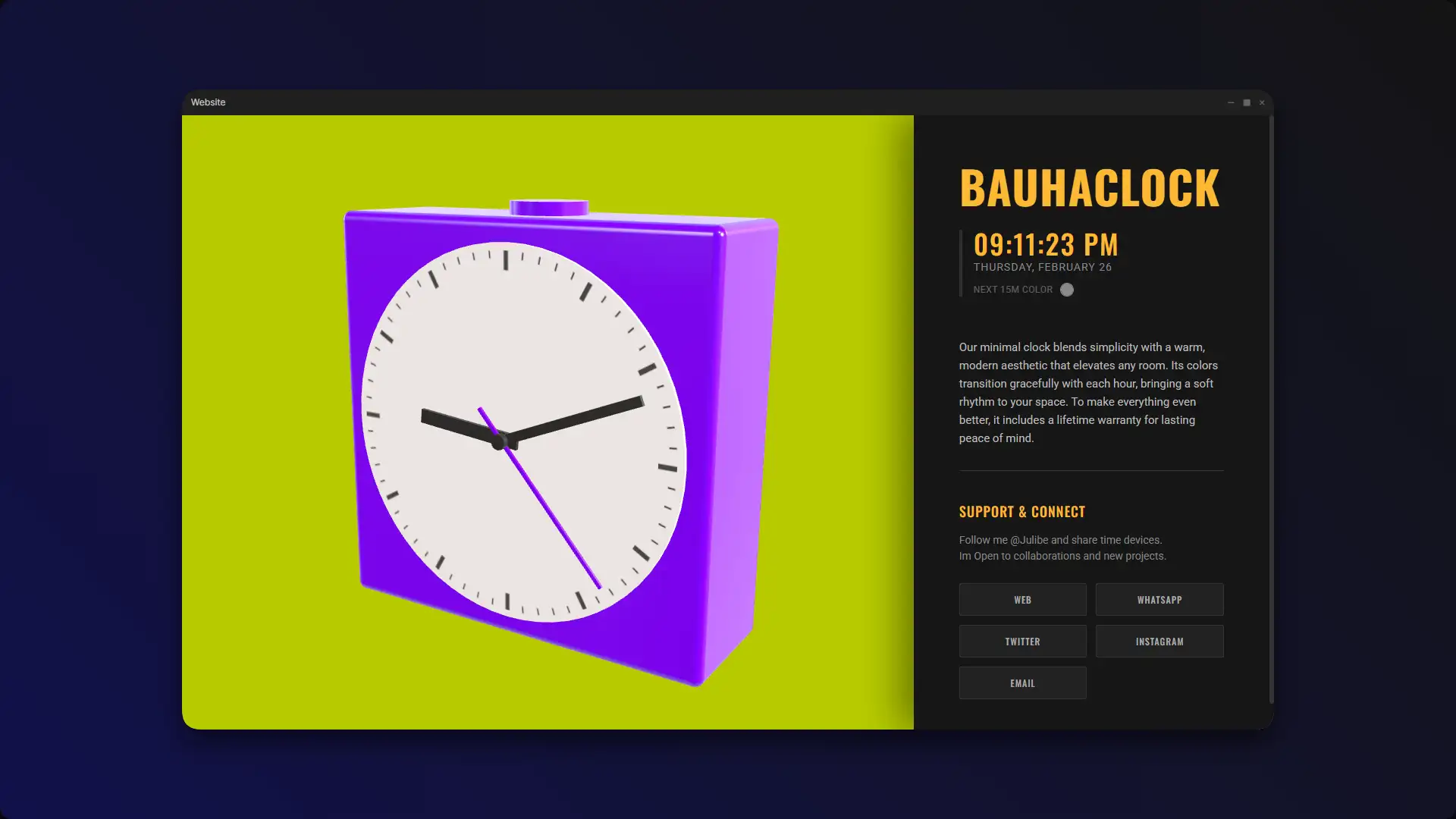
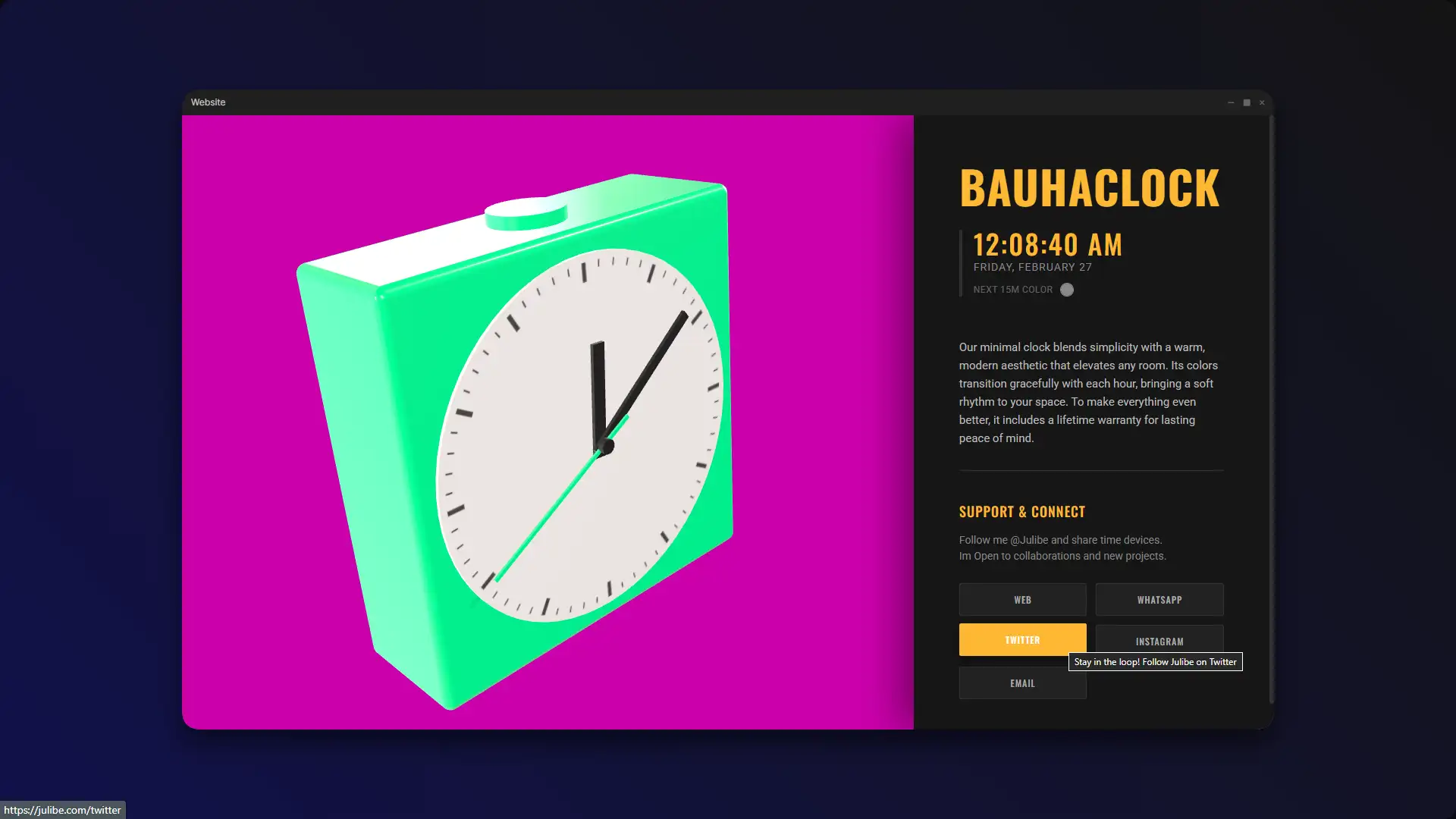
A playful, modern 3D analog clock that dynamically shifts color palettes every 15 minutes, adding a mesmerizing glow to your digital space.
Home / BauhaClock ⏰ Minimal 3D Analog Clock
In a nutshell...
The "Too Long; Or too scary??? Anyway don't Wanna Read" version... 🔮
Imagine a sleek, beautifully rounded 3D clock living right in your browser, shifting its gorgeous color palette every 15 minutes. But the real story is under the hood! This was my bridge between the visual editors I loved and the world of pure, programmatic geometry. It combines smooth rotation math with dynamic lighting to turn a utility into a piece of digital art.
About
Thinking about building something similar?
These estimates will give you a clear picture of the technical scope, development timeline, and investment required to turn the idea into an awesome reality.
Big results start with clear information and smart decisions.
Total Value
A smart choice with awesome value:
Value: ~ $1.400 to $1.800 USD
Details
Minimum
Value: $1.400
Value: $1.400
Maximum
Value: $1.800
Value: $1.800
An unbeatable turnaround:
Duration: ~ 2 Weeks
Details
Hours: 70
Days: 9
Weeks: 2
Days: 9
Weeks: 2
Concept
A powerful value at a friendly price:
Value: ~ $220 to $290 USD
Details
Minimum
Value: $220
Value: $220
Maximum
Value: $290
Value: $290
A rapid delivery time:
Duration: ~ 1 Day
Details
Hours: 10
Days: 1
Days: 1
Design
A smart choice with awesome value:
Value: ~ $140 to $190 USD
Details
Minimum
Value: $140
Value: $140
Maximum
Value: $190
Value: $190
An optimal timeline for you:
Duration: ~ 1 Day
Details
Hours: 8
Days: 1
Days: 1
Coding
A high impact value you’ll appreciate:
Value: ~ $500 to $670 USD
Details
Minimum
Value: $500
Value: $500
Maximum
Value: $670
Value: $670
A highly efficient schedule:
Duration: ~ 3 to 4 Days
Details
Minimum
Hours: 20
Days: 3
Hours: 20
Days: 3
Maximum
Hours: 30
Days: 4
Hours: 30
Days: 4
Testing
A feel good value that makes sense:
Value: ~ $180 to $240 USD
Details
Minimum
Value: $180
Value: $180
Maximum
Value: $240
Value: $240
An optimal timeline for you:
Duration: ~ 1 Day
Details
Hours: 10
Days: 1
Days: 1
Polishing
An amazing value at this price:
Value: ~ $270 to $360 USD
Details
Minimum
Value: $270
Value: $270
Maximum
Value: $360
Value: $360
An incredible turnaround:
Duration: ~ 1 to 3 Days
Details
Minimum
Hours: 10
Days: 1
Hours: 10
Days: 1
Maximum
Hours: 20
Days: 3
Hours: 20
Days: 3
Don’t let the numbers scare you, let’s talk!
The Juicy Details!
All treats, no tricks, just the sweet facts! 🍭
Have you ever looked at a blank code editor and felt entirely out of your depth? That was me back in the day! I set out on a wild mission to rescue the humble analog clock from boring 2D walls, but more importantly, I was on a mission to prove something to myself. This project is a time capsule—my very first attempt at building something beautiful in the browser using pure 3D code.
After the fall of Flash, I had to venture out of my comfort zone. It was scary, it was frustrating, but creating this vibrant, interactive clock was the moment I finally fell in love with the magic of the canvas! 🌈
Instructions
Ready to take control of my 2012 experiment? Here’s how you navigate this joyful little app:
- Watch the Magic: Simply open the project and let it run. The colors will automatically shift every 15 minutes, syncing with your local time.
- Time Travel: Click anywhere on the clock’s background! You’ll trigger a hyper-speed animation that blasts through a full 24-hour cycle in just a few seconds.
- Set the Mood: Use the “Next 15m Color” picker in the UI panel to instantly inject your favorite hue into the 3D room!
- Orbit: Click and drag to pan around the clock. Admire those code-generated primitive curves from every angle!
Inspiration
My personal inspiration for this wasn’t just aesthetic; it was driven by pure, stubborn determination. I already knew my way around the 3D space from hours spent rendering scenes in Cinema 4D and using the ugly Lightwave 3D that they teach us in college. I kind of understood lighting, materials, and cameras. But doing it all in code? That was a different beast.
When Flash was on its last legs (I blame Apple and this thing called the iPhone), it finally introduced a Z-axis, but honestly, wrapping my head around it was out of my league at the moment. I even tried wrestling with Papervision3D, but it was giving me a massive headache! 🤕 It wasn’t until 2012, feeling a bit more confident in my skills, that I decided to give Three.js a proper go. Using primitives and writing everything in pure code was totally new to me, but it was exactly the challenge I needed to move forward.
“The only reason for time is so that everything doesn’t happen at once.”
— Albert Einstein“Time is a storm in which we are all lost.”— William Carlos Williams
“Those who make the worst use of their time are the first to complain of its brevity.”— Jean de La Bruyère
Project Overview
Let’s paint a picture of the web back then: the beloved era of Macromedia (I mean Adobe) FLASH was ending, and a new, native 3D web was rising. I wanted to build something that felt tangible, like a beautifully crafted designer toy sitting on your desk, but I had to do it using tools that felt completely alien to me at the time.
I was kind of comfortable spinning around viewports in heavy software, but the idea of typing out numbers to generate a shape in the void of a web browser? Mind blown. 🤯 I chose a clock because time is universally relatable, but I injected it with dynamic colors and smooth animations to make checking the time the most visually pleasing part of the day! 🚀
Theory
To truly appreciate this project, we have to talk about the tectonic shift the web went through. For years, the beloved era of FLASH was the undisputed king of rich, interactive web experiences. When FLASH began its inevitable decline, the creative coding community was left scrambling for a new champion.
Enter native WebGL. Suddenly, the browser could tap directly into the GPU without any plugins! But writing raw WebGL is notoriously complex. That’s when Ricardo Cabello (the brilliant Mr.doob, my personal real-life Super Hero!) released Three.js to the public on April 24, 2010. It was the new cool thing in town—a lightweight wrapper that made 3D on the web accessible to us mere mortals. It changed the landscape of digital art forever, turning mathematical abstraction into accessible creativity.
The Game-Plan!
Plotting a safe course through the scary maze! 🧭
Challenges
- Thinking in Code, Not Clicks: The biggest hurdle was mental. Transitioning from visual tools like Cinema 4D to writing explicit X, Y, and Z coordinates for primitives (like cylinders and boxes) felt like learning to walk again.
- Generating the Clock Face: Drawing 60 perfect little tick marks dynamically in 3D without loading a massive texture file was a tricky puzzle.
- The Time Travel Animation: Interpolating a fake “fast-forward” time object over a few seconds, while ensuring it cleanly hands back control to the real system clock without a visual glitch.
Solutions
- Embracing the Math: By sketching out the scene on paper first, I was able to calculate the exact radians and offsets needed to position the primitive geometries perfectly in the Three.js scene graph.
- Canvas Textures to the Rescue: Instead of importing an image, the code generates an HTML5
<canvas>in memory, draws the tick marks using basic 2D rotation math, and wraps that directly onto the 3D cylinder as a texture! - Dual Time States: I implemented a toggle that switches the clock’s data source from
Date.now()to an interpolated animation timeline, ensuring a seamless snap back to reality when the ride is over.
Impact
Beyond being a personal milestone, this project serves as a fantastic ambient display for modern workspaces. It provides a non-intrusive, visually pleasing way to gauge the passage of time without inducing the anxiety of ticking digital numbers. It proved to me—and hopefully to you—that the browser is an incredibly powerful canvas for interactive art.
Scope
This clock perfectly handles local time syncing, dynamic ambient color shifting based on an algorithmic palette, complete 3D camera control, and a beautifully sleek UI. What it *doesn’t* do is track timezones or set alarms. It is intentionally scoped to be a pure, joyful expression of the present moment and a celebration of code-generated geometry!
Credits
This magic trick wouldn’t be possible without these incredible open-source heroes:
- Three.js: The ultimate powerhouse that made the 3D web accessible.
- Polyhaven: For providing the gorgeous, realistic HDRI lighting environment.
- Google Fonts: For serving up the crisp ‘Oswald’ and ‘Roboto’ typefaces that make the UI pop.
The Nerd Stuff!
I think we are going to need a bigger boat... ahem, I meant cauldron! ✨
JavaScript, Three.js, HTML5 Canvas, CSS
This project leverages a powerful 3D scene graphed inside an HTML <canvas> element. By utilizing a perspective camera and an orbit controller, the user can freely explore the environment. Instead of imported 3D models, every element of the clock (the face, the casing, the hands) is generated using built-in Three.js primitives like RoundedBoxGeometry and CylinderGeometry. The scene uses a dynamic MeshPhysicalMaterial for the clock body, which reacts beautifully to the HDRI environment map.
Improvements
- Custom user palettes to allow completely personalized color rotations throughout the day.
- A subtle web audio tick or chime that matches the minimalist visual aesthetic.
- Implementing localized weather data to adjust the clock’s material properties (e.g., adding a frosty texture on cold days!).
Known Bugs
If the user switches tabs during the “time travel” click animation, the browser’s requestAnimationFrame throttling can cause the animation to finish slightly out of sync with the intended duration.